
Learning how to make ChatGPT undetectable starts with a better definition of undetectable. It should not mean hiding poor work, inventing citations, or trying to mislead a reader. A stronger meaning is practical: make AI-assisted text sound specific, intentional, accurate, and human-edited. People search for "undetectable ai" because detector scores can affect trust, but the best way to reduce risk is also the best way to improve writing. Add real context, vary the rhythm, remove boilerplate, and review every claim.
ChatGPT often produces clean, organized drafts. That is useful, but it can also create a recognizable style. The prose may open with broad framing, use repeated transitions, avoid concrete examples, and summarize instead of committing to a point of view. A detector may notice some of those patterns. More importantly, readers may notice them too. If you want ChatGPT content to feel less detectable, you need to edit at the level of purpose, evidence, sentence structure, and voice.
Start with your own intent
The first step is to make the assignment or topic yours before you ask ChatGPT for help. Write a short note about the audience, the goal, and the point you want to make. If you are writing a blog post, decide what the reader should do next. If you are writing an essay, decide what argument you actually believe. If you are writing an email, decide what action you need from the recipient. This intent gives the draft a center.
When the initial prompt is vague, the output becomes generic. Generic text is easier to flag because it sounds like it could appear anywhere. Instead of asking for a complete article, give ChatGPT constraints: the reader's problem, the angle, the examples, and the tone. Even then, treat the output as raw material. A human draft usually contains judgment, priority, and small irregularities. Add those elements before you worry about detector scores.
Remove predictable ChatGPT openings
One common sign of AI writing is a polished but empty opening. Sentences like "In today's digital landscape" or "It is important to note" do not usually add value. They delay the point. If your first paragraph could introduce almost any topic, rewrite it. Lead with the specific problem, a concrete situation, or a clear claim. A direct opening often feels more human because it makes an editorial choice.
For example, instead of opening with a broad statement about artificial intelligence changing writing, begin with the actual tension: you used ChatGPT to draft a paragraph, but the result sounds too smooth, too general, and too easy to identify. That is a real problem. It gives the reader a reason to keep going. It also gives the rest of the piece a practical direction.
Add details only you can supply
ChatGPT is good at general structure, but it cannot know your exact experience unless you provide it. Add details from the project, class, product, audience, or situation. Mention the specific type of document. Include the reason a reader cares. Replace broad claims with examples. If a paragraph says a tool saves time, explain where the time is saved. If it says a workflow improves quality, explain what quality problem it fixes.
Specificity makes writing harder to classify as generic AI output. It also makes the writing more useful. A sentence like "This workflow improves clarity" is acceptable, but a sentence like "This workflow catches repetitive topic sentences before the final draft is submitted" gives the reader a sharper image. Detectors may not understand your exact example, but natural detail changes the texture of the text.
Vary sentence rhythm
AI drafts often use balanced sentence lengths and predictable paragraph structure. That consistency can be pleasant, but too much of it feels mechanical. Read a paragraph aloud. If every sentence has the same length and shape, revise it. Mix a short sentence with a longer one. Move a clause to the front. Turn one abstract explanation into a concrete example. Break a sentence when the idea needs emphasis.
Do not force randomness. Human writing is not messy for its own sake. The goal is rhythm that follows meaning. A short sentence can mark a decision. A longer sentence can carry context. A question can reset the reader's attention. When rhythm supports the argument, the text feels more authored. This is one reason a careful human pass is more reliable than a simple synonym swap.
Keep facts stable
Many people try to make ChatGPT undetectable by paraphrasing aggressively. That can backfire. Heavy rewriting may change facts, remove nuance, or create awkward phrases. If the text includes research, product claims, numbers, quotes, or citations, protect them. Check every factual sentence against the source. Keep names, dates, and statistics intact unless you have a reason to revise them.
A responsible workflow separates style editing from fact checking. First, make sure the substance is correct. Then improve voice, flow, and specificity. If a tool rewrites a factual sentence, compare it with the original. If the new version is less precise, restore the original detail. Undetectable writing that becomes inaccurate is not an improvement. It is just a quieter problem.
Use Uncheck AI for sentence-level review
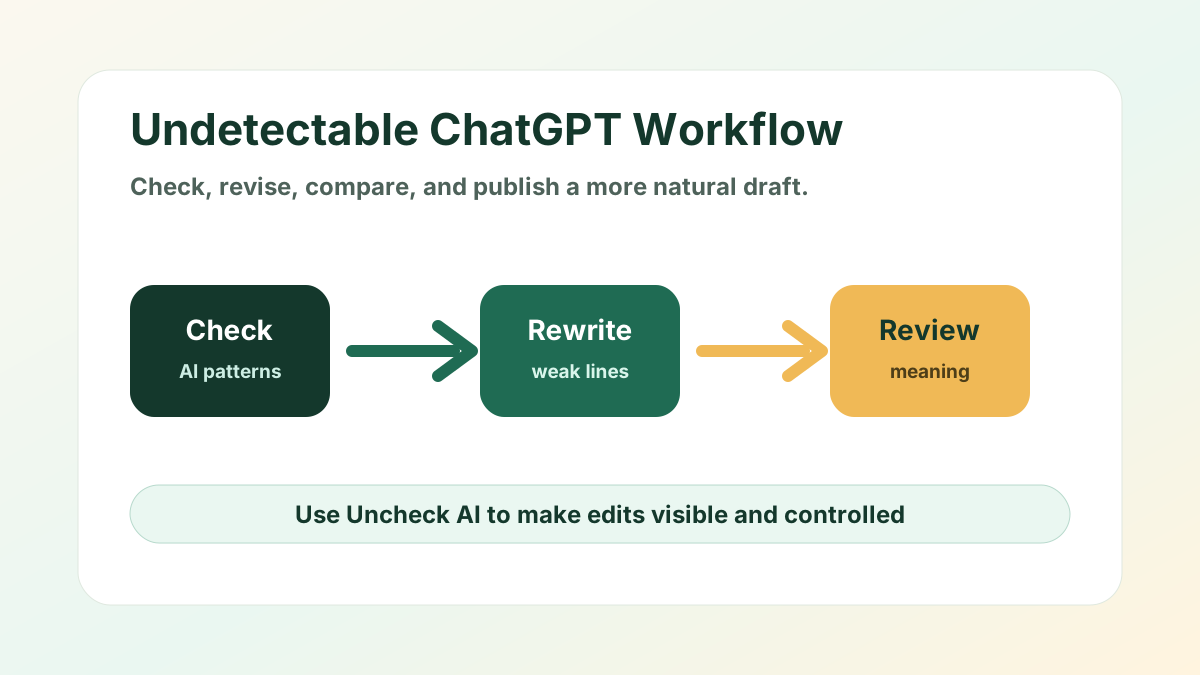
Uncheck AI is useful because it supports a focused review loop. Paste the draft, run the check, and look at the parts that need attention. Do not rewrite the whole document blindly. Work through sentence groups. Keep strong sentences. Revise weak ones. Compare the new version with the original before you accept it. This makes the process easier to control and easier to trust.
The best use of Uncheck AI is not one click and copy. It is check, revise, read, and repeat. If a sentence sounds too generic, add detail. If a transition feels automatic, replace it with a direct relationship between ideas. If a paragraph is polished but thin, add an example or remove the paragraph. You are not only lowering detection risk. You are making the draft clearer for a real reader.
Rewrite for voice, not just words
Synonym replacement is the weakest way to humanize ChatGPT text. It can make the language strange while leaving the structure unchanged. A better approach is to rewrite for voice. Ask whether the paragraph sounds like the person, brand, or publication that will use it. A student reflection should not sound like a software landing page. A professional email should not sound like a research abstract. A blog guide should not sound like a policy memo.
Voice comes from choices. Use words your audience expects. Keep the level of formality appropriate. Add transitions that explain your reasoning instead of generic connectors. Replace vague approval words like important, powerful, and essential with the actual reason something matters. When voice is clear, the writing feels less like a template and more like a decision made by a person.
Break up template structure
ChatGPT often organizes ideas in neat blocks: introduction, several evenly weighted points, and a broad conclusion. That structure is not wrong, but it can become predictable. After you generate a draft, ask whether every section deserves equal space. Some points may need a single sentence. Others may need an example. One section may need to move earlier because it answers the reader's main concern.
Editing structure is one of the fastest ways to make a draft feel more human. Humans prioritize. They skip obvious points, linger on difficult ones, and add context where readers are likely to get stuck. You can do the same. Cut repetitive summaries. Merge overlapping sections. Put the strongest practical advice near the top. A better structure reduces the feeling that the text was produced from a generic outline.
Use detector results as signals
AI detectors are imperfect. They can disagree with each other, and they can misread polished human writing. Treat detection results as signals, not verdicts. If a detector flags a paragraph, inspect the writing. Look for repetition, vague phrasing, overly balanced syntax, or missing examples. Those are useful clues even when the score itself is not definitive.
This is where a tool workflow helps. Run a check, revise the highlighted parts, then reread the whole piece. If the score improves but the writing gets worse, reject the change. If the score stays uncertain but the text becomes clearer and more specific, you are moving in the right direction. The goal is not to satisfy one metric at any cost. The goal is publishable, honest, reader-friendly writing.
A practical editing checklist
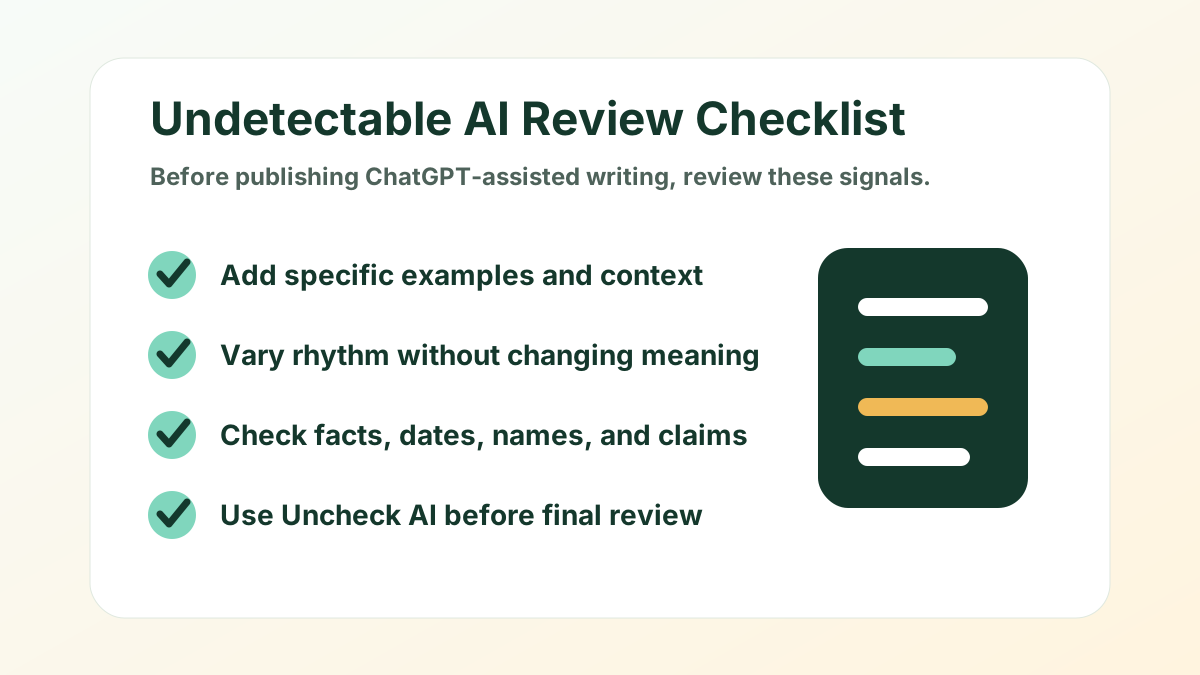
Before you finalize a ChatGPT-assisted draft, use a simple checklist. Does the first paragraph say something specific? Does each section add new value? Are there examples, details, or constraints that came from you? Are the facts correct? Do sentence lengths vary naturally? Are transitions meaningful? Is the tone right for the audience? Can you explain why every paragraph belongs?
Then do a final pass with Uncheck AI. Check the text, rewrite only the parts that need work, and compare the output carefully. Look for meaning drift. Restore specific details if they were softened. Remove any phrase that sounds inflated or unnatural. If the final draft reads clearly to you and gives readers useful information, it is much closer to what people mean when they ask how to make ChatGPT undetectable.
Common mistakes to avoid
Do not add fake personal experience. Do not invent sources. Do not replace every simple word with a complicated one. Do not assume a lower detector score means a better draft. Do not submit writing you have not read. These shortcuts create risk and often make the text worse. The most effective edits are usually ordinary: clearer claims, better examples, varied rhythm, and careful fact checking.
Also avoid treating undetectability as the only goal. A text can be hard to detect and still be boring, vague, or inaccurate. Strong writing has a job to do. It answers a question, persuades a reader, explains a process, or records a real point of view. When you focus on that job, the draft naturally becomes less generic.
Final thoughts
Making ChatGPT undetectable is not about hiding the fact that a tool helped you. It is about turning an AI-generated draft into writing that has human judgment behind it. Start with your intent, add specific context, vary the rhythm, protect factual accuracy, and use Uncheck AI to review the parts that still sound mechanical. The result should be clearer, more natural, and more useful.
Use the process responsibly. AI can speed up drafting, but it should not replace your understanding of the topic or your responsibility for the final text. When you combine ChatGPT with careful editing and a transparent review workflow, you get a draft that reads less like generated copy and more like work shaped by a real writer.